
How to Get More Positive Google Reviews: 9 Easy-to-Implement Tactics
Getting customers through the door is only part of growing a business. What people say about you online matters just as much.
If you want to build trust, improve visibility, and attract more customers, you need to get more positive Google reviews.
The good news is you do not need complicated strategies to make this happen. With the right approach, you can turn happy customers into strong online advocates for your business.
This guide walks you through simple and effective ways to increase your Google reviews and strengthen your online reputation.
Let’s check it out.
Why Google reviews matter for your business
Google reviews play a big role in how customers choose where to spend their money. When someone searches for a product or service, they often compare businesses based on ratings and recent feedback.
More positive reviews can help your business stand out. They build trust and show potential customers that others have had a good experience with you.
Reviews also impact your local SEO. Google uses them as a ranking signal, which means more reviews can help you appear higher in search results and on Google Maps.
For example, a potential customer is likely to visit a restaurant with positive Google reviews over one that has zero or negative reviews.
A steady flow of reviews also shows that your business is active and reliable. This makes it easier for new customers to feel confident choosing you.
9 Best Strategies to Get More Positive Google Reviews
There is no single trick to getting more reviews. Instead, it comes down to making the process easy, asking at the right time, and creating great customer experiences.
Below are proven strategies that work for both online and physical businesses.
1. Set up your Google Business Profile
Before you can collect reviews, you need a complete and active Google Business Profile. This is the foundation of your online presence.
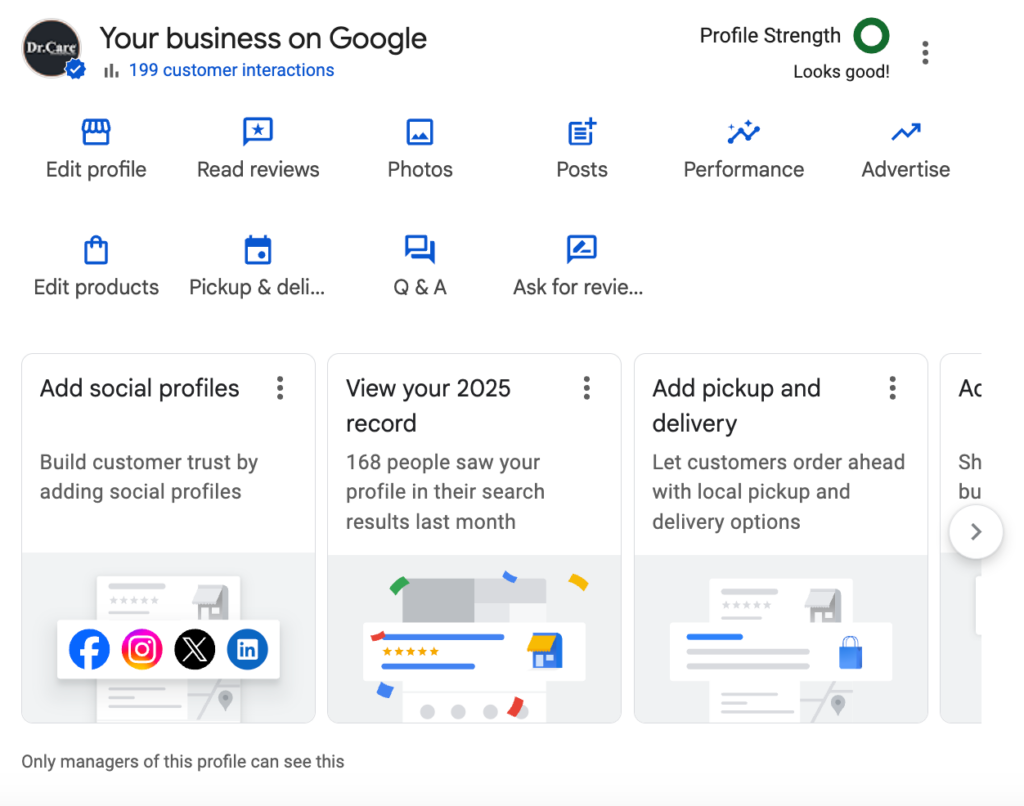
Claim and verify your business listing
Start by claiming your business on Google and completing the verification process. This ensures your business shows up correctly in search results and allows you to manage reviews.
Turn first-time customers into regulars
Customers are more likely to leave positive reviews when they have a great experience. Focus on delivering excellent service so people feel good about sharing their feedback.
Ensure you appear on Google Maps
Your Google Business Profile helps your business appear on Google Maps. This is where many users discover local businesses and leave reviews.
Know Google’s review solicitation policies
Google has rules about how you ask for reviews. You should never offer incentives or only ask happy customers while ignoring others. Keep your approach honest and transparent.
2. Optimize your Google Business Profile
Once your profile is set up, the next step is to optimize it so it attracts more engagement and reviews.
Complete and optimise your listing
Make sure all your business details are accurate. This includes your name, address, phone number, website, hours, and photos. A complete profile looks more trustworthy and encourages customers to interact with your business.
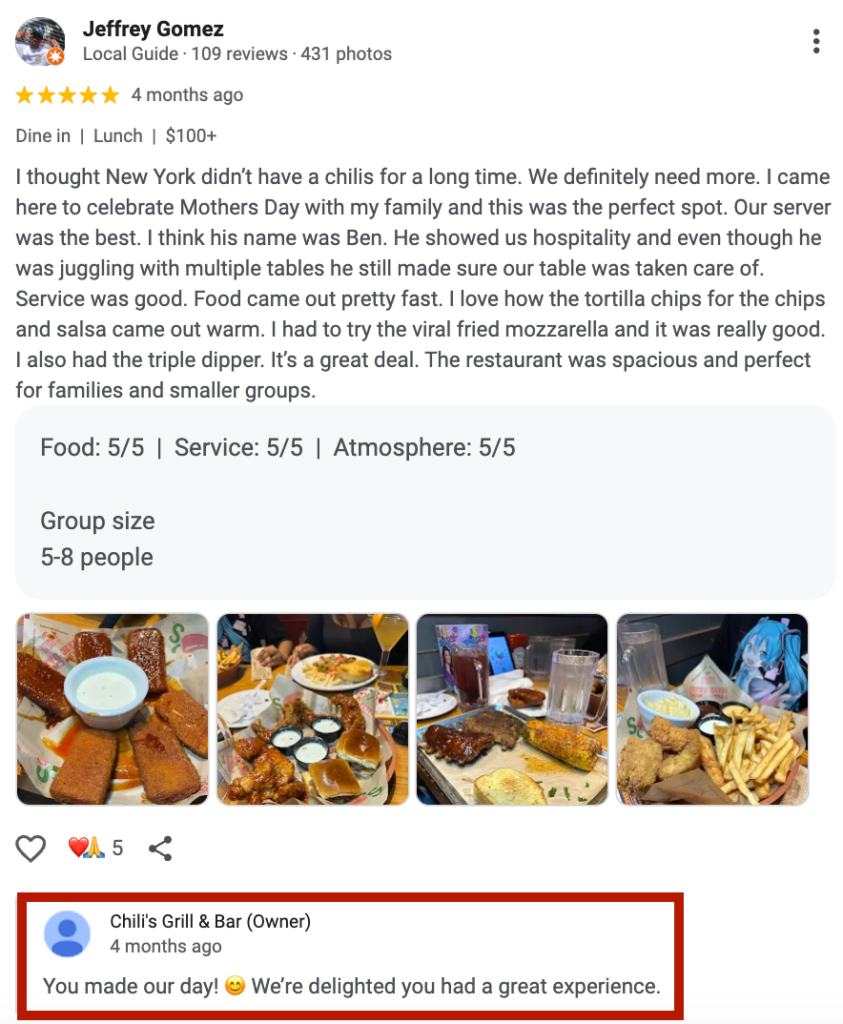
Respond to existing reviews
Replying to reviews shows that you care about customer feedback. Thank customers for positive reviews and respond politely to negative ones. This builds trust and encourages others to leave their own feedback.
Display existing Google reviews on your website
Showcase your best reviews on your website. This not only builds credibility but also reminds customers to leave their own reviews.
Know your business better with data always at your fingertips
Your Google Business Profile provides insights into how customers find and interact with your business. Use this data to improve your strategy and identify opportunities to get more reviews.
3. How to ask for Google reviews by channel
Asking for reviews does not have to feel awkward. When done naturally, most customers are happy to share their experience.
In person
This is one of the most effective ways to get reviews. Ask customers right after a positive interaction. Keep it simple and friendly.
Via text message
Sending a quick text message with a review link makes it easy for customers to respond. This works especially well for service-based businesses.
Via email
Follow up with customers after a purchase or service. Thank them and include a direct link to your Google review page.
On social media
Use your social channels to remind followers to leave reviews. Share posts that encourage feedback and highlight customer experiences.
4. Use tools that make it easier to collect reviews
The easier you make the process, the more reviews you will get.
Generate and share a Google review link
Google provides a direct review link that takes customers straight to the review page. Share this link in emails, texts, and on your website.
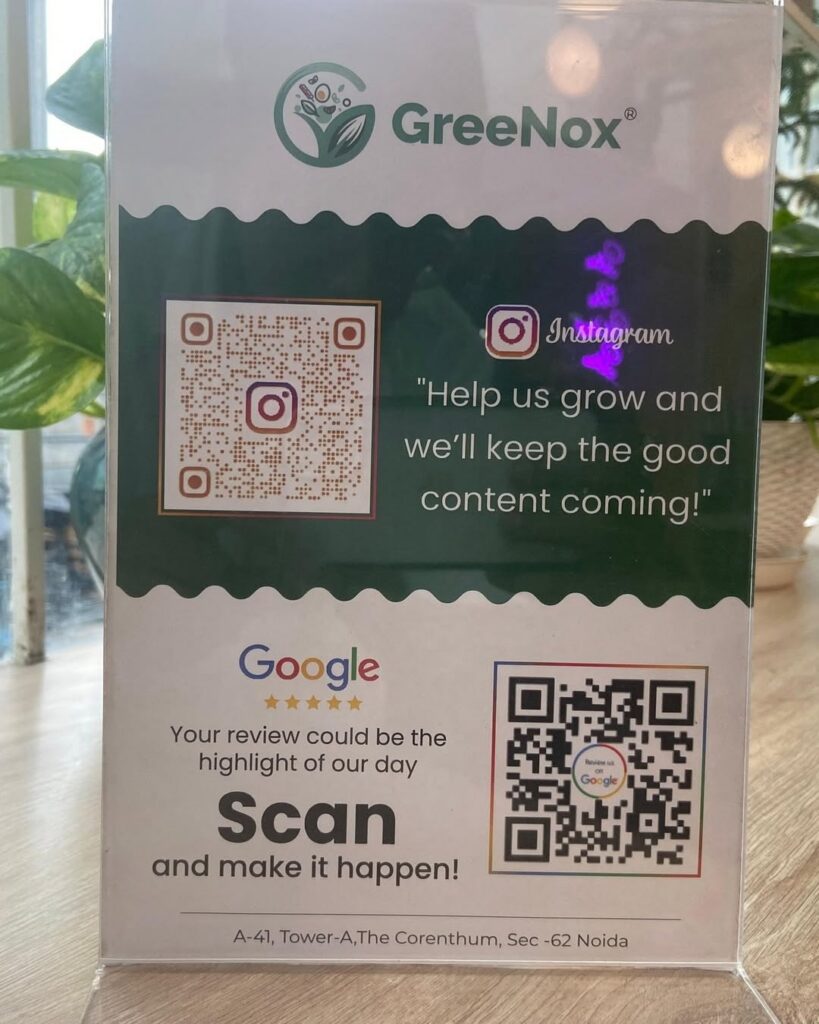
Create and display QR codes
A Google review QR code is a powerful tool. Customers can scan it and leave a review instantly. Place it on receipts, packaging, or signage to capture feedback at the right moment.
5. Use strategic touchpoints to request reviews
Timing is everything when asking for reviews. You want to reach customers when they are most satisfied.
Use feedback surveys as a warm-up
Ask customers for feedback through a short survey first. If they had a positive experience, guide them to leave a Google review.
Send thank-you postcards with a review request
A simple thank-you card with a review link or QR code can leave a lasting impression and encourage feedback.
Include review links in your email signature
Adding a review link to your email signature creates a passive way to collect reviews over time.
Create leave us a review cards
Hand out small cards with a QR code or link. This is a simple but effective reminder for customers.
6. Train your team to ask for reviews
Your team plays a big role in getting more positive Google reviews. Train them to recognize the right moments to ask for feedback.
Encourage them to keep the request natural and friendly. A simple suggestion at the right time can lead to more reviews.
Make sure they understand the importance of reviews and how they impact the business.
7. Use templates to streamline review requests
Creating templates for emails and messages can save time and keep your requests consistent. A good template should be short, polite, and easy to understand.
For example, you can thank the customer for their business and include a direct link to leave a review. Personalizing the message slightly can make it feel more genuine.
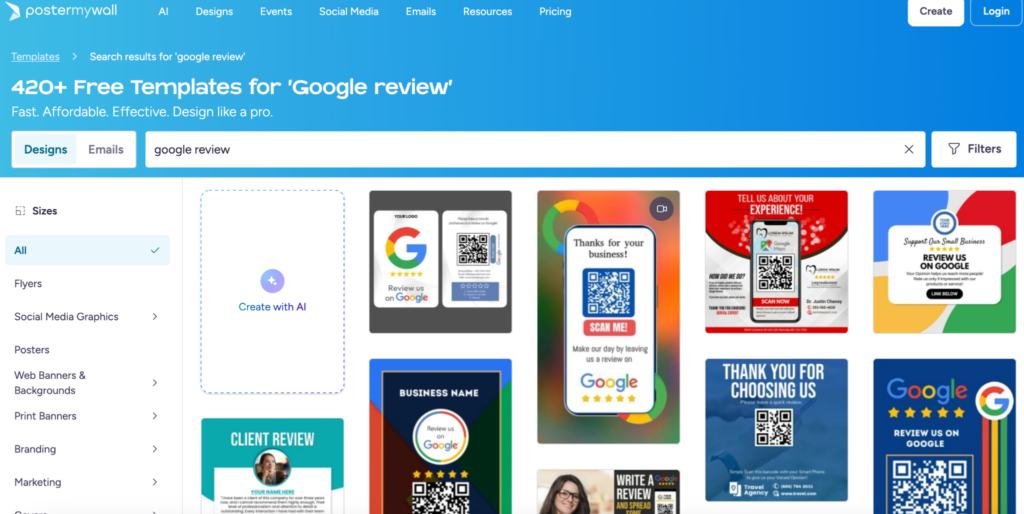
You can also create templates for QR codes and scanning graphics.
A website like Postermywall can give you a lot of templates like those you see in the photo below.
8. Save time with business tools that work together and work for you
Using tools that connect your customer data, communication channels, and review requests can simplify the process.
Automation helps you send timely reminders without extra effort.
This is especially helpful for businesses with a high volume of customers.
9. Encourage reviews from vendors and partners
Customers are not the only ones who can leave reviews. Vendors, partners, and collaborators can also share their experience working with your business.
These reviews add credibility and show that your business is trusted within your industry.
Promote positive reviews across channels
Getting reviews is only part of the process. Promoting them helps you get even more value.
Share top reviews on social media
Highlight positive reviews in your social media posts. This shows appreciation for your customers and encourages others to share their experiences.
Use review decor in your store
Display printed reviews in your physical location. This builds trust and reminds customers to leave feedback.
Other ways to get more online reviews
There are always new tools and strategies to explore when trying to grow your online reputation.
ReputationManage
If you are looking for a faster way to get more positive Google reviews, some businesses turn to services like ReputationManage, which provide reviews directly instead of relying only on customer outreach.
You can buy real Google reviews that are real and effective, boosting your online presence quickly as you build your reputation.
These types of services focus on increasing the number of reviews on your Google Business Profile in a short period of time.
For new businesses or those struggling to build momentum, this can seem like an easy way to improve ratings and make a stronger first impression.
Having more reviews can make your business appear more established. When potential customers see a higher review count and a strong rating, they may feel more confident choosing your business over competitors.
This can help improve click-through rates and attract more attention online.
FAQs
Can you purchase Google reviews?
No, buying reviews is against Google’s policies. It can lead to penalties or removal of your listing. Always focus on earning genuine feedback.
Can you delete bad Google reviews?
You cannot delete reviews just because they are negative. However, you can report reviews that violate Google’s guidelines and respond professionally to others.
Where do Google reviews display?
Google reviews appear on your Google Business Profile, in search results, and on Google Maps. They are often one of the first things customers see.
What are the steps on how to get more Google reviews for my business?
Start by setting up your Google Business Profile, ask customers at the right time, make it easy with links or QR codes, and respond to all reviews. Consistency is key.
Final Thoughts
If you want to get more positive Google reviews, focus on making the process simple and natural for your customers. Ask at the right time, provide clear instructions, and always deliver a great experience.
Over time, these small actions will add up. You will build a strong online reputation, improve your local SEO, and attract more customers to your business.
